Oracle Database 23ai installation notes on linux64-bits
Oracle Database 23ai installation notes
Introduction
Oracle Database 23ai represents a transformative leap in enterprise database technology, fundamentally changing how organizations approach data management, artificial intelligence integration, and application development.
s the latest long-term support release of Oracle’s flagship database platform, this revolutionary system introduces over 300 groundbreaking features specifically designed to bring artificial intelligence directly to your data, rather than requiring you to move your data to external AI systems.
Requirements:
Oracle Database Free installation uses approximately 9 GB disk space under /opt. If this disk partition does not have the required disk space available, you must add space or mount an alternative partition as /opt/oracle. This disk partition is the defined as Oracle base where the software and database will reside
Note:
The Oracle Database Free installation does not support symbolic links (symlinks) for /opt/oracle.
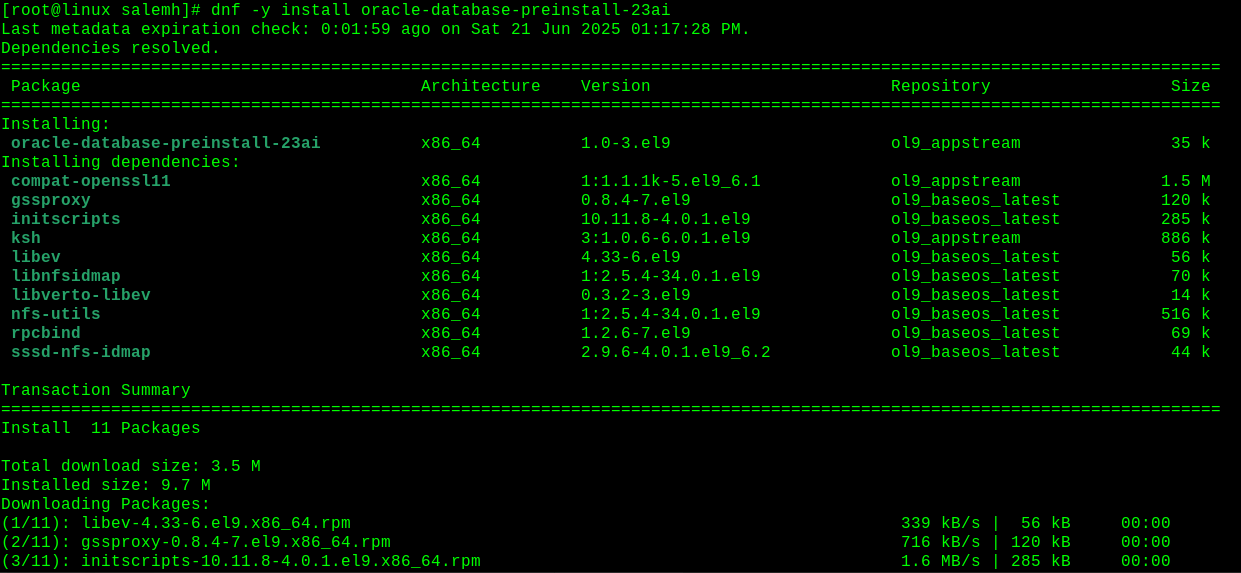



The Oracle Database Preinstallation RPM automatically creates the Oracle installation owner and groups.
It also sets up other kernel configuration settings as required for Oracle Database installations.
Review the RPM log files to determine the system configuration changes.
For example, review
It also sets up other kernel configuration settings as required for Oracle Database installations.
Review the RPM log files to determine the system configuration changes.
For example, review
cat /var/log/oracle-database-preinstall-23ai/results/orakernel.log
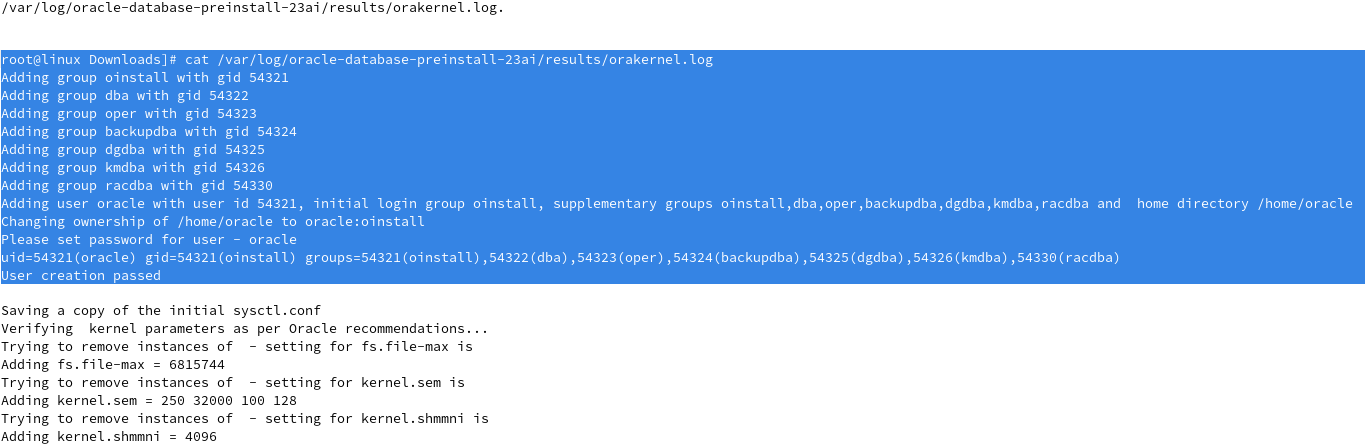
Let’s check the groups and users after rpm preinstallation package

For Oracle Linux 9 and Red Hat Enterprise Linux 9
dnf -y install oracle-database-free-23ai-23.8-1.el9.x86_64.rpm

Creating and Configuring an Oracle Database
The configuration script creates a container database (FREE) with one pluggable database (FREEPDB1) and configures the listener at the default port (1521).
The configuration script creates a container database (FREE) with one pluggable database (FREEPDB1) and configures the listener at the default port (1521).
To create the database with the default settings:
Log in as root using sudo.
sudo -s
Run the service configuration script:
/etc/init.d/oracle-free-23ai configure

This completes the demo
How to use and run Oracle Database Security Assessment Tool (2.2.2) on Oracle PDB with Wallet install and Configure Apache on Linux
About Me

Senior oracle DBA/Developer | OCI Certified | OCP | OCE Sql Certified Expert

